
VMware Workstation Public Tech Preview 22H2 Pro Build 20200310 (x64) + Fix
Size
608 MB
Seeders
0
Leechers
1
Files
3
Category
Added
08/04/22 at 7:57pm GMT+1
Status
Infohash
3bd5f8af53be35c42d17456ee7e33ced5ac4a5d8


Description
Visit for more apps - CracksHash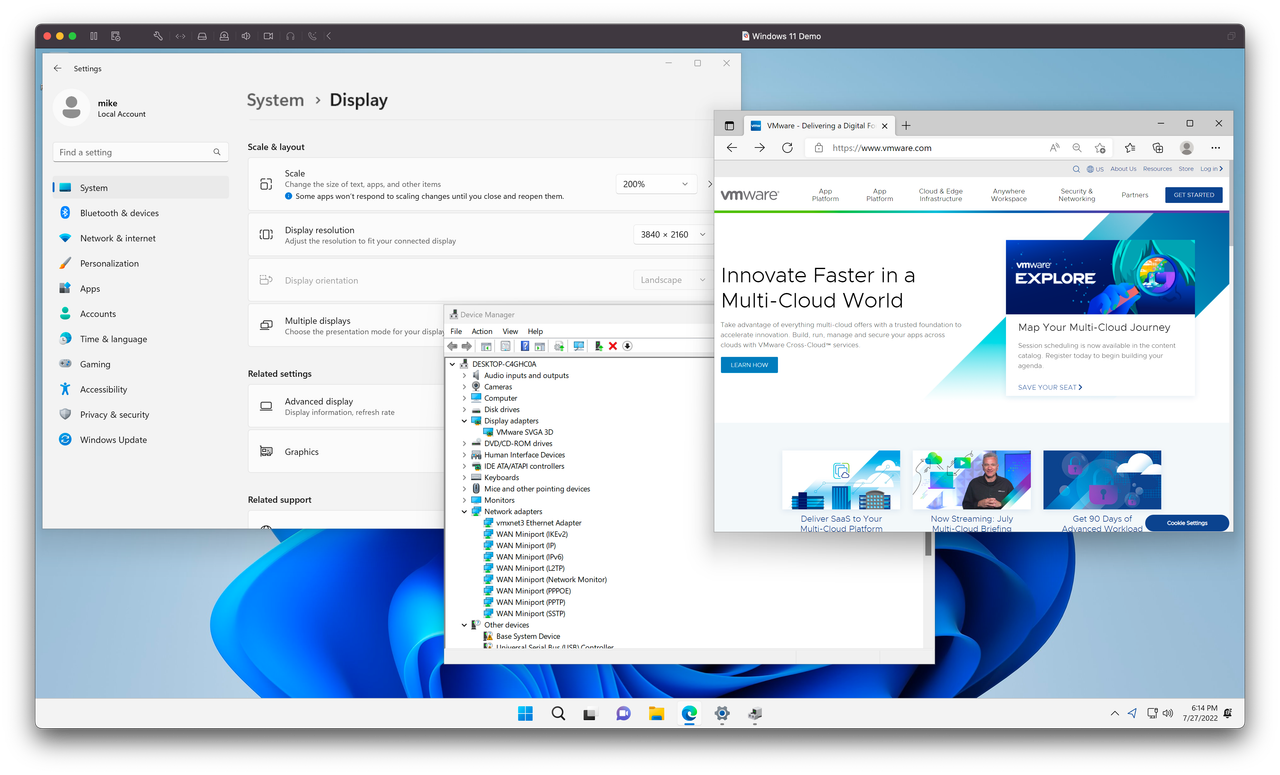
VMware Workstation Public Tech Preview 22H2 Pro Build 20200310 (x64) + Fix {CracksHash}
VMware Workstation Pro is a powerful desktop virtualization software for software developers/testers and enterprise IT professionals that runs multiple operating systems simultaneously on a single PC. Users can run Windows, Linux, NetWare, or Solaris x86 in fully networked, portable virtual machines with no rebooting or hard drive partitioning required.
VMware Workstation Pro delivers excellent performance and advanced features such as memory optimization and the ability to manage multi-tier configurations and multiple snapshots. With millions of customers and dozens of major product awards over the last six years, VMware Workstation Pro is a proven technology that improves productivity and flexibility. An indispensable tool for software developers and IT professionals worldwide.
We’re excited about what we’ve been working on and would love to share with the community where we’re at with this year’s release. With new features to support Windows 11, new graphics capabilities, and other useful features like auto-start VMs, we’re gearing up for a new major release of Workstation.
What’s New?
Windows 11 Support
VMware Workstation for Windows and Linux now support Windows 11 operating systems for x86_64 CPU types.
Virtual Trusted Platform Module
In order to support Windows 11 requirements, a Trusted Platform Module is required. With this release, we have enhanced our Virtual TPM module by incorporating ‘Fast Encryption’, key auto-gen and key storage via Keychain with a TPM 2.0 virtual device profile that is compatible with Windows 11 system requirements. Of course, vTPM device can be added to any VM, but that VM must have either Full or Fast VM encryption enabled.
Fast Encryption
With the new ‘fast encryption’ mode, only the most critical parts of the virtual machine’s local storage space are encrypted, dramatically improving overall VM performance but providing a secure enclave for sensitive data such as a TPM device. Fast Encryption can be enabled for all VM types from the VM Settings. > Encryption window, or during the New VM walkthrough.
Encryption Key Auto-Generate and Store
To enhance the new fast encryption model, Workstation can auto-generate a password for the user, and the local keychain is used by default to store the encryption key, relieving the user from having to type it in whenever their VM boots.
Graphics Enhancements
OpenGL 4.3
Workstation for Windows and Linux, when used with a Linux VM that has a kernel of 5.18 or newer and Mesa 22.1.1, should notice that OpenGL now reports its version at 4.3 and OpenGL ES at 3.10.
Autostart VMs
Workstation introduces a feature specifically for launching user-defined virtual machines when the PC boots.
Instructions and Fix is provided in files
Virus Total links -
Setup - https://www.virustotal.com/gui/file/4a80a9f671182dfc114ab0219d8d515c98c874959efa5ed18e9a541cbe0c3d7b

Quote:CracksHash always
File list
- VMware Workstation Public Tech Preview 22H2 Pro Build 20200310 (x64) + Fix


Rating
Similar torrents
| Name | Size | Date | |||
|---|---|---|---|---|---|
| 417 MB | 09/07/26 | 61199 | 40780 | ||
| 19 MB | 12/10/22 | 38590 | 25744 | ||
| 35 MB | 12/10/22 | 38359 | 25603 | ||
Any.Video.Downloader.Pro.7.35.0 [Full] New Verified in Software | 49 MB | 12/10/22 | 37998 | 25313 | |
| 93 MB | 12/10/22 | 37976 | 25302 | ||
| 407 MB | 07/19/26 | 29419 | 19592 | ||
| 29 MB | 03/01/23 | 26389 | 17588 | ||
| 20 MB | 03/02/23 | 25999 | 17307 | ||
| 26 MB | 03/02/23 | 25932 | 17308 | ||
| 110 MB | 03/02/23 | 25822 | 17205 | ||
| 17 MB | 03/02/23 | 25819 | 17214 | ||
| 20 MB | 03/02/23 | 25811 | 17187 | ||
| 37 MB | 03/02/23 | 25707 | 17135 | ||
| 44 MB | 03/02/23 | 25673 | 17099 | ||
| 39 MB | 03/02/23 | 25626 | 17103 |