
Stardock Fences 4.0.7.2 (x64) + Patch
Size
13 MB
Seeders
0
Leechers
1
Files
3
Category
Added
08/25/22 at 5:04am GMT+1
Status
Infohash
60f5e6faa5d61282389cebbe173d8166b6c16844


Description
Stardock Fences Overview
Fences is a program that helps you organize your desktop. It can hide icons when they are not in use as well as make it easy to place icons into moveable groups called “fences”. Fences is the world’s most popular desktop enhancement for Windows®. What makes it so compelling is that what it does is so obviously useful and necessary that it is amazing that no one has thought of it before.
Key Features of Stardock Fences
Fences Peek
Instantly access your files, folders, and applications with Peek by pressing Winkey + Space to bring your fences on top of all your windows. Save time and be more productive by creating folder portals to make accessing frequently used content only a Peek away.
Roll up Fences
Eliminate clutter from your desktop, but keep your fences where it’s easy to find them with our roll-up feature! Double-clicking on a fence’s title-bar will “roll up” the rest of the fence into it, saving you valuable space on your desktop. To reveal your fence, you can move your mouse over the title-bar or double-click it again to view all of the icons as normal.
Folder Portals
Fences can act as a portal to any folder on your PC. For example, your documents or pictures folders can be mirrored onto your desktop as a fence enabling quick access to their contents without adding clutter to your desktop.
Customize your Fences
Quickly personalize the labels, background colors, and transparency of your fences from the easy-to-use configuration menu.
Desktop Quick-hide
Instantly clean up your desktop. Double-click any blank space on your desktop and your desktop icons will fade out. Double-click again and they will return. You can even pick icons and individual fences to exclude.
Desktop Pages
Create multiple pages of fences on your desktop and quickly swipe between them. To change to a different desktop page, just take your mouse cursor to the edge of your screen and click and drag. Then a new page of fences will be displayed. This feature provides greater control over how you can organize favorite programs, documents, websites and more.
VirusTotal:
Setup:
https://www.virustotal.com/gui/file/73bfdc4b79c266011a0070f77d16bcd85302b1c6077f8de13cb1c6a0670c1543/detection
Patch:
https://www.virustotal.com/gui/file/5405e5c8a154f6219c933dba05ef3ca2d1162e666cd36b183ba8580f209c898e/detection
Stardock Fences Screenshots
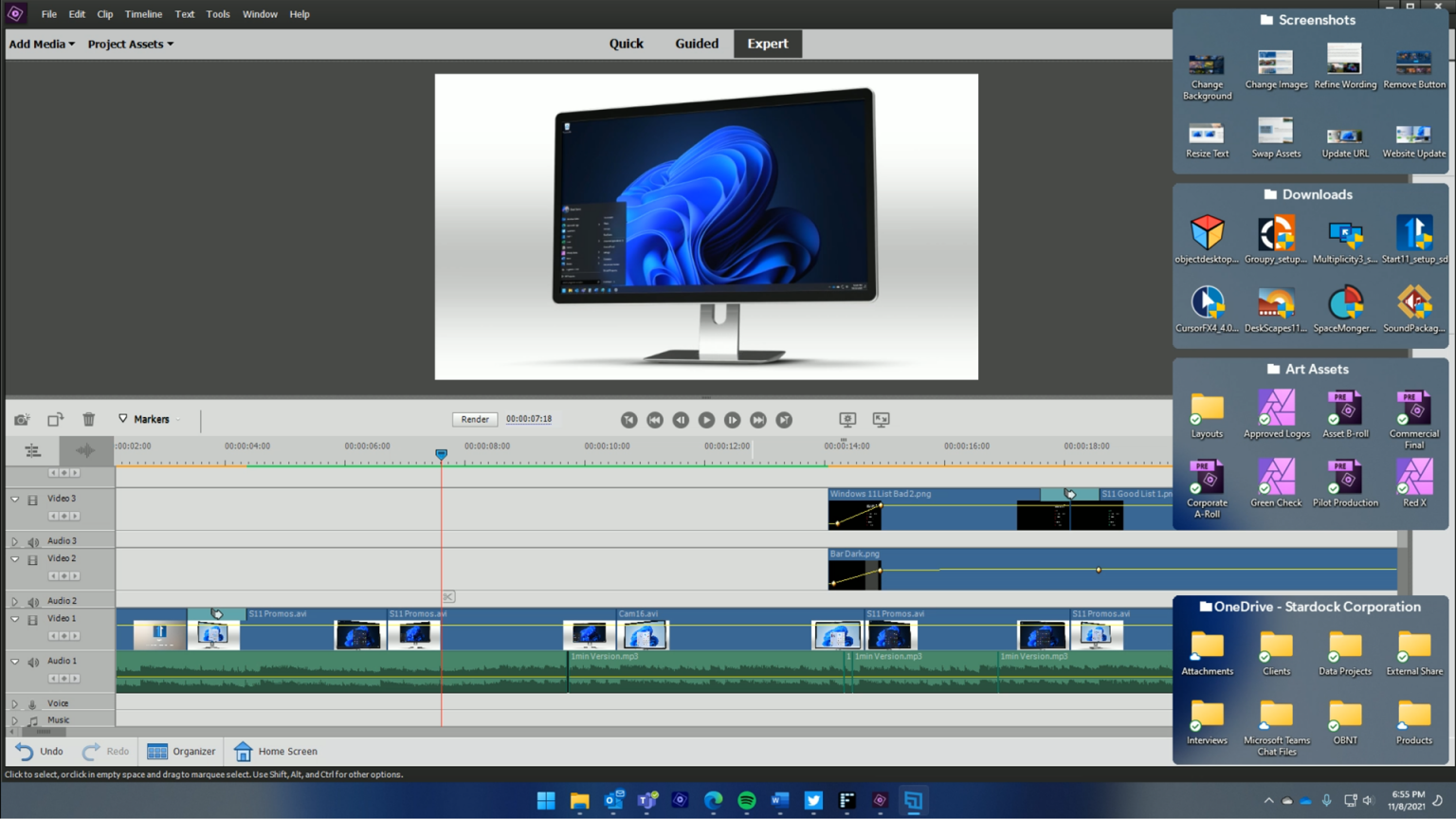
File list
- Stardock Fences 4.0.7.2 (x64) + Patch


Rating
Similar torrents
| Name | Size | Date | |||
|---|---|---|---|---|---|
Stardock Fences 4.21 (x64) + Patch Verified in Software | 13 MB | 07/18/23 | 14 | 0 | |
| 35 MB | 07/19/26 | 4 | 0 | ||
| 23 MB | 07/18/26 | 3 | 0 | ||
| 37 MB | 12/15/25 | 3 | 0 | ||
Stardock Fences 4.19 (x64) + Patch Verified in Software | 13 MB | 07/11/23 | 1 | 0 | |
Stardock Fences 6.54 x64 Incl Patch - KhanPC Verified in Software | 24 MB | 08/20/26 | 0 | 0 | |
| 27 MB | 04/16/25 | 0 | 3 | ||
| 23 MB | 07/17/23 | 0 | 3 |