No cover art
Internet Download Manager (IDM) v6.42 Build 52
Size
14 MB
Seeders
47
Leechers
0
Files
4
Category
Added
10/27/25 at 9:59am GMT+1
Status
Infohash
37c4835fd2b47258b81f4ef3116b50b86459706c


Description

Internet Download Manager Overview
Internet Download Manager has a smart download logic accelerator that features intelligent dynamic file segmentation and safe multipart downloading technology to accelerate your downloads. Unlike other download accelerators and managers that segment files before downloading starts, Internet Download Manager segments downloaded files dynamically during download process.
Key Features of Internet Download Manager
Download Speed Acceleration
Internet Download Manager will accelerate downloads by up to 5 times due to its smart dynamic file segmentation technology. Unlike other download managers and accelerators, Internet Download Manager segments downloaded files dynamically during download process, and it reuses available connections without additional connect and login stages to achieve the best possible acceleration performance.
Download files from your favorite web sites
After installing “IDM integration module” browser extension, just continue surfing the Internet, and you will be amazed how easy is to download everything you want from your favorite web sites.
All popular browsers are supported
IDM integrates seamlessly into Microsoft Edge, Google Chrome, Mozilla Firefox, Opera, Internet Explorer, Safari, MSN Explorer, AOL, Mozilla Firebird, Avant Browser, Maxthon, and all other popular browsers to automatically handle your downloads.
Easy downloading with one click
When you click on a download link in a browser, IDM will take over the download and accelerate it. You don’t need to do anything special, just browse the Internet as you usually do. IDM will catch your downloads and accelerate them. IDM supports HTTP, FTP, HTTPS and MMS protocols.
Dark theme
IDM dark theme displays dark surfaces across the majority of its UI. It was designed to be a supplemental mode to a default (or light) theme. The dark theme reduces the luminance emitted by your screen, while still meeting minimum color contrast ratios. It helps to improve visual ergonomics by reducing eye strain, adjusting brightness to current lighting conditions, and facilitating screen use in dark environments while conserving power.
Dynamic segmentation
Internet Download Manager has optimized file download logic. IDM divides downloaded file on file segments dynamically, unlike other download accelerators that divide downloaded file in segments once just before download process starts. Dynamic segmentation gives significant download performance improvement. When file download starts, it’s unclear how many connections may be opened. When new connection becomes available IDM finds the largest segment to download and divide it in half. Thus new connection starts downloading file from the half of the largest file segment. IDM minimizes the time needed for negotiations with servers and keeps all connections busy.
Download Resume
Internet Download Manager will resume unfinished download from the place where they left off. Comprehensive error recovery and resume capability will restart broken or interrupted downloads due to lost or dropped connections, network problems, computer shutdowns, or unexpected power outages.
Built-in Scheduler
Internet Download Manager can connect to the Internet at a set time, download the files you want, disconnect, or shut down your computer when it’s done. You can also synchronize changes using periodic synchronization of files. It’s possible to create and schedule several download queues for downloading or synchronization.
IDM includes web site spider and grabber
IDM downloads all required files that are specified with filters from web sites, for example all pictures from a web site, or subsets of web sites, or complete web sites for offline browsing. It’s possible to schedule multiple grabber projects to run them once at a specified time, stop them at a specified time, or run periodically to synchronize changes.
Customizable Interface
You may choose the order, buttons, and columns to appear on the main IDM window. There are several different skins for the toolbar with different button styles. All skins can be downloaded from IDM home site. Also users can design their own skins.
Automatic Antivirus checking
Antivirus checking makes your downloads free from viruses and trojans. IDM can automatically run a scanner on download completion, like AdAware, Avast, Spybot, AVG Anti-Virus, McAfee, Norton Internet Security, Norton 360, SpywareBlaster, CCleaner and others to protect users from harmful downloaded files.
VirusTotal:
Setup:
https://www.virustotal.com/gui/file/4cd461943b2b52a8cd481b29afa1dfd4b9aea7848251e393a0284b6c60cd6d58/detection
Crack:
https://www.virustotal.com/gui/file/b3cc52edfeb0ce4b680fea48d151e0fd139a08e7794737e7a6e7371a36f5f2a2/detection
https://www.virustotal.com/gui/file/e980b279636165332dc678b362a30701d3431d526fdae3b3b1d149b8aab9e4f3/detection
Internet Download Manager Screenshots
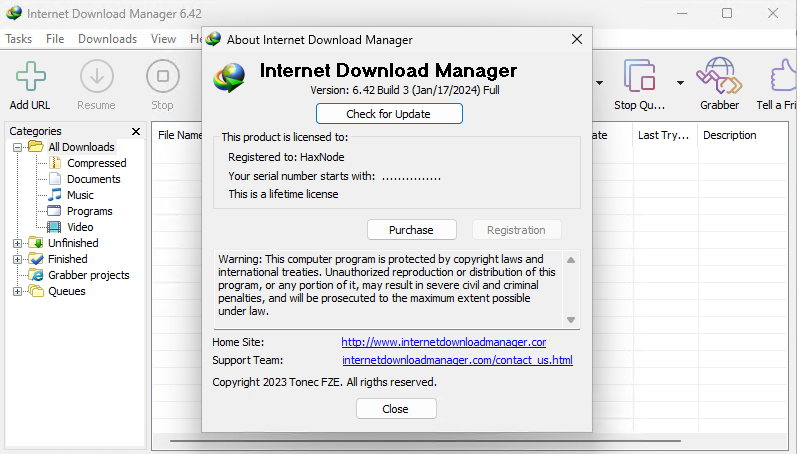
File list
- Internet Download Manager (IDM) v6.42 Build 52


Rating
Similar torrents
| Name | Size | Date | |||
|---|---|---|---|---|---|
| 10 MB | Today | 35448 | 23632 | ||
| 15 MB | 08/23/26 | 283 | 4 | ||
Internet Download Manager IDM v6.42 Build 64 in Software | 18 MB | 07/18/26 | 246 | 8 | |
Internet Download Manager IDM 6.42 Build 22 Verified in Software | 14 MB | 09/19/24 | 225 | 0 | |
Internet Download Manager IDM v6.43 Build 10 Verified in Software | 18 MB | 08/22/26 | 169 | 4 | |
Internet Download Manager IDM v6.43 Build 9 Verified in Software | 18 MB | 08/18/26 | 80 | 1 | |
| 12 MB | 08/21/26 | 68 | 3 | ||
Internet Download Manager IDM v6.43 Build 8 Verified in Software | 18 MB | 08/13/26 | 67 | 0 | |
| 15 MB | 07/19/26 | 48 | 0 | ||
| 14 MB | 08/10/25 | 40 | 0 | ||
| 13 MB | 07/19/26 | 38 | 25 | ||
| 12 MB | 07/19/26 | 36 | 24 | ||
| 14 MB | 07/14/26 | 34 | 0 | ||
Internet Download Manager IDM v6.43 Build 1 in Software | 18 MB | 06/26/26 | 34 | 0 | |
| 20 MB | 03/24/23 | 32 | 25 |